The A3 report is a cornerstone of Lean problem solving. But when you're managing multiple improvement projects across teams, the challenge shifts from how to solve problems to when and in what order. That's where the calendar view comes in.
A3 Reports: A Quick Recap
The A3 report is a structured, single-page document that guides teams through the problem-solving process. It captures the background, current condition, root cause analysis, countermeasures, and follow-up – all on one page.
While the A3 format excels at structuring individual problem-solving efforts, organisations typically have dozens (or hundreds) of improvement activities in progress at any given time. Managing this volume requires visibility – not just into the what, but the when.
Why Add a Calendar View?
A calendar view layered on top of your A3 reports provides several benefits:
Timeline visibility: See when improvement activities are scheduled, when milestones are due, and whether projects are on track. This is especially valuable for Tier 2 and Tier 3 reviews where leaders need a high-level view of improvement activity across the site.
Resource planning: When you can see all A3 activities on a calendar, you can identify resource conflicts and plan accordingly. This prevents teams from being overloaded with too many improvement projects simultaneously.
Accountability: Calendar-based deadlines create natural checkpoints. Teams know when their next update is due, and leaders can quickly identify overdue activities.
Prioritisation: A calendar view makes it easy to see how improvement activities align with strategic timelines. Are the right projects getting attention at the right time?
The TeamAssurance A3 Calendar
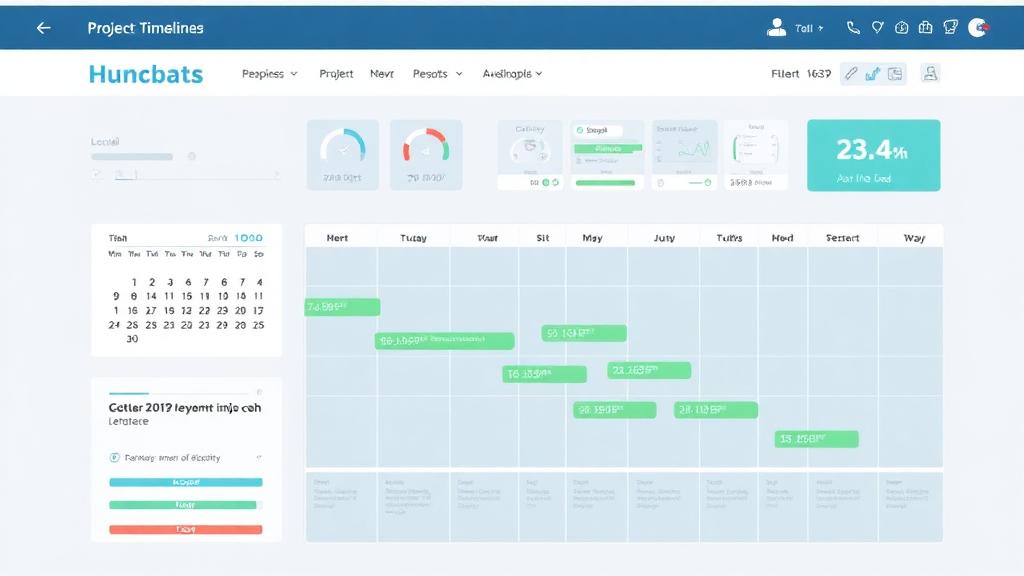
TeamAssurance provides an integrated calendar view that sits alongside the traditional A3 report format. Key features include:
- Gantt-style timeline: View all A3 activities across teams and sites on a single timeline
- Milestone tracking: Set and track key milestones within each A3 project
- Filtering: Filter by team, category, status, or priority to focus on what matters most
- Drill-down: Click on any activity to open the full A3 report with all its detail
- Integration with daily management: A3 activities surface automatically in your tier board meetings, ensuring follow-through
From Report to Rhythm
The real power of combining A3 reports with a calendar view is that it creates a rhythm of improvement. Rather than problem solving being an ad-hoc activity, it becomes a structured, time-bound process embedded in the organisation's daily and weekly cadence.
This rhythm supports the PDCA cycle at an organisational level:
- Plan: Schedule improvement activities and set milestones
- Do: Execute countermeasures within the planned timeframe
- Check: Review progress at scheduled checkpoints
- Act: Adjust timelines and resources based on results
Part of a Connected C.I. Framework
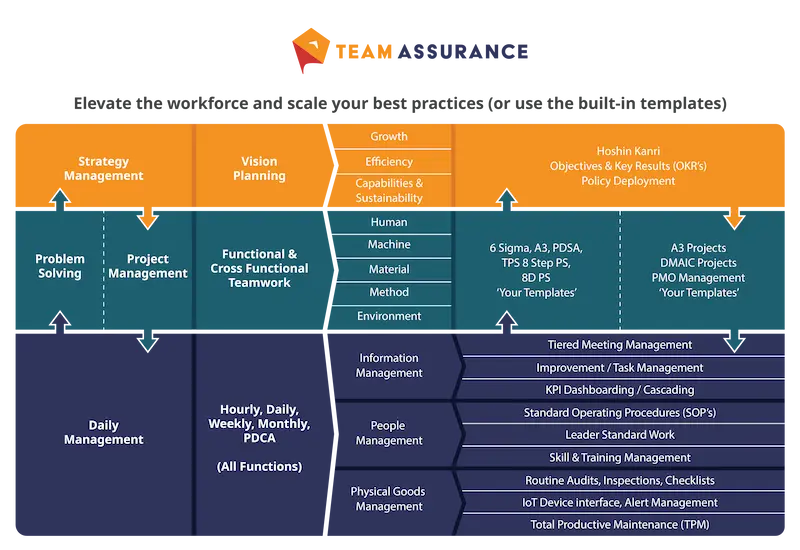
A3 reports with calendar views are most effective when they're part of a connected system. The illustration below shows how TeamAssurance integrates problem solving, daily management, and strategy deployment into a single platform.
If you'd like to see how the A3 calendar view works in practice, contact us for a demonstration of the TeamAssurance platform.