
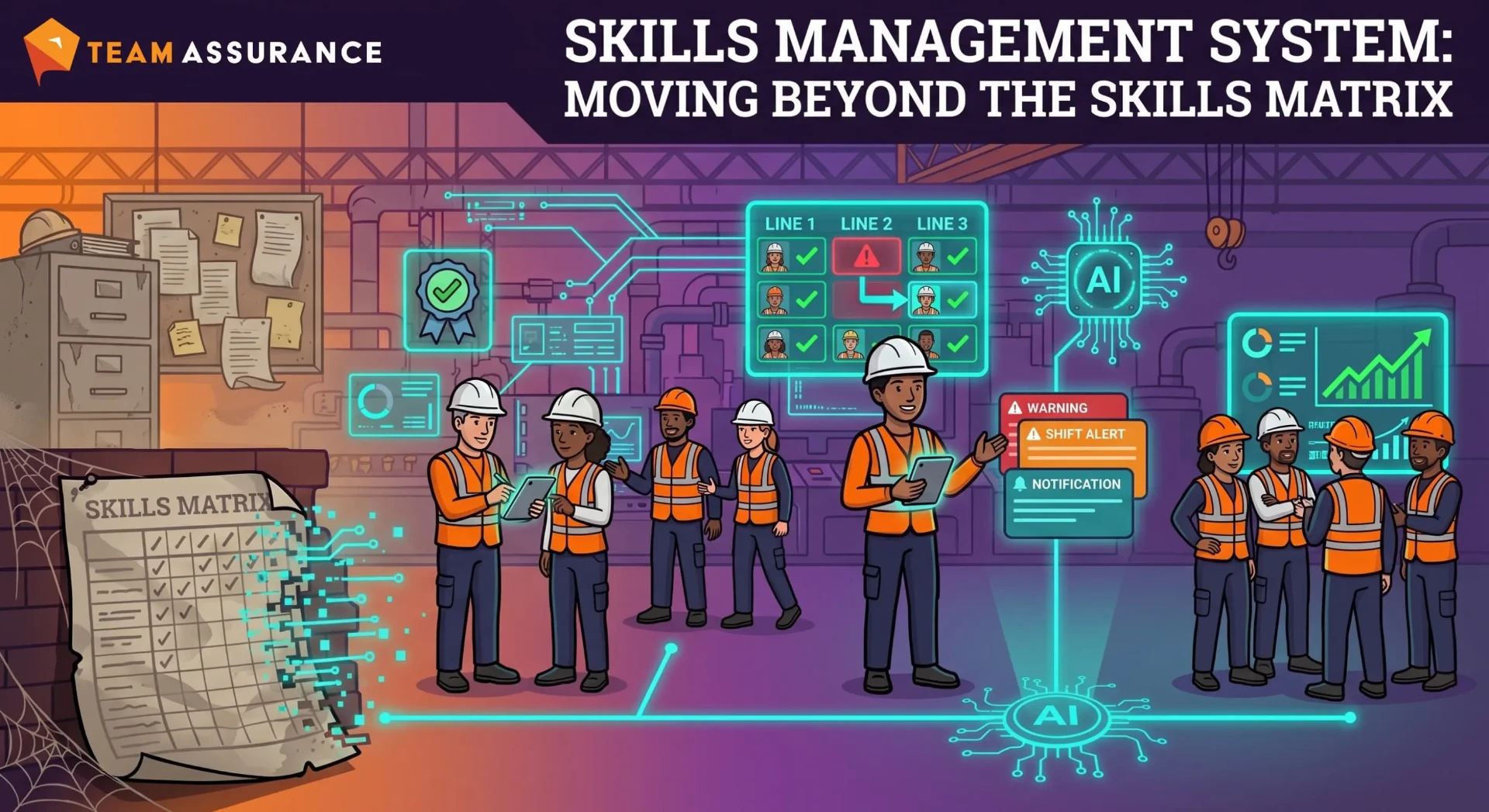
A skills management system tracks who is qualified for each task and at what level, so every area is right skilled - the right level of skill in the right place at the right time. It builds on the skills matrix by keeping the data current, connecting it to daily management and flagging gaps early. This guide covers what to track, four steps to build one and how AI helps.
Introduction
How Great Plants Know Who Is Capable Today
The best-run plants can answer a simple question at the start of every shift: who here today can run each line, machine and critical task to standard? They answer it in seconds, and they trust the answer.
That confidence comes from treating skills as live operational data. Sign-offs, refreshers and on-the-job observations all feed one place, and team leaders check it the same way they check output or safety.
What This Guide Covers
We cover how a skills management system extends the skills matrix, what it should track, what live coverage looks like on the floor, four steps to build one, and where AI helps. There's a checklist at the end to use with your own team.
What Is a Skills Management System?
Skills Matrix vs. Skills Management System
A skills matrix is a grid of people against skills, usually kept in a spreadsheet and updated after training. It's a good starting point, and most plants already have one.
A skills management system takes the same information and keeps it current. It records competency levels and sign-offs, tracks refresher dates and brings skills into daily management, so supervisors can check every day that each area is right skilled.
What a Skills Management System Should Track
Start with the critical skills for each role and process, each person's competency level, who signed them off and when, and when a refresher is due. Then set the skill level each area and task needs, so you can see at a glance where the team is right skilled.
The strongest systems also link skills to the work itself - which tasks need which competencies, and which incidents, defects or near misses involved a given skill area.
Moving Beyond the Skills Matrix
Keeping Skills Data Current Every Day
Great teams update skills as part of normal work. A sign-off is recorded on the floor when it happens, a refresher due date triggers a reminder, and a new starter's progress is visible to their supervisor the same day. The data stays current because it's captured where the work happens.
From Training Records to Live Capability
A training record confirms that a course was completed. Live capability confirms that someone can do the task to standard today, which usually means an observed sign-off and recent practice. Leading sites record both and plan shifts using live capability.
Competence and Coverage Working Together
Competence is about the individual: can this person do the task? Coverage is about the team: are there enough competent people on each shift to run the line, cover breaks and handle absences? Strong plants plan for both, aiming for at least two or three qualified people per critical task on every shift.
What Live Skills Coverage Looks Like
The Shift-Start Test: Who Can Run What Today?
At the start-of-shift meeting, the team leader checks each line and critical task against the skills of the people on shift. Any gap shows up straight away, along with who could fill it. The whole check takes a minute and is done before the first run starts.
Seeing Coverage Gaps Before They Become Delivery Problems
Looking a few weeks ahead works the same way. Planned leave, training schedules and upcoming refresher dates show where coverage will thin out, so the team can schedule cross-training or plan cover in good time. Production plans stay on track because the people side has been planned too.
Connecting Skills to Safety, Quality and Delivery
Skills data is most valuable when it sits next to safety, quality and delivery results. A team can see that a line runs best with certain operators on, or that a defect type clusters around a task with few qualified people. Training decisions then become operational decisions with a clear payoff.
How to Build a Skills Management System That Works
Step 1: Define the Critical Skills for Each Role and Process
Start with the tasks that matter most for safety, quality and output. For each role and process, list the skills needed to do those tasks to standard. Keep it practical - 10 to 20 critical skills per area is plenty to begin with.
Step 2: Set Clear Competency Levels and Sign-Off Rules
Use a simple scale, such as in training, competent, and able to train others. Agree who can sign off each level and what evidence is needed, like an observed task checked against the standard work. Add refresher periods for skills that fade over time or carry higher risk.
Step 3: Connect Skills Data to Daily Management
Bring skills data into your daily management system, so it's visible wherever work is planned and reviewed and each area can be checked as right skilled. Make sign-offs quick to record on a phone or tablet at the workstation. The closer the data sits to daily work, the more current it stays.
Step 4: Keep It Current Through Tiered Daily Management
Bring coverage into tier meetings. Tier 1 checks today's gaps, Tier 2 reviews upcoming refreshers and cross-training progress, and Tier 3 looks at coverage trends across areas or sites. Skills then get the same regular attention as safety and output.
How AI Strengthens a Skills Management System
Spotting Coverage Gaps and Single-Person Dependencies
AI can read skills data alongside daily management records and flag the tasks that rely on one or two people, the areas where skill levels are thin and the refreshers coming due. It sets these out in plain language, so a supervisor sees the few things worth acting on this week.
Connecting Incidents and Defects to Capability Gaps
AI can also read incident reports, defect records and downtime notes alongside skills data. When near misses cluster around a task with thin coverage, or a defect type shows up more on certain shifts, it points that out. The training plan can then target the skills with the biggest operational payoff.
Where Human Judgement Still Matters
AI finds the patterns. Supervisors and trainers decide what they mean, who is ready for sign-off and how to balance development with running the shift. The best results come from AI doing the sorting and experienced people making the calls.
Skills Management System Checklist
-
Critical skills defined for each role and process
-
Competency levels and sign-off rules agreed
-
Refresher periods set for higher-risk skills
-
Sign-offs recorded at the workstation on the day
-
Required skill level set for each area and task, and checked daily
-
Two or three qualified people per critical task on every shift
-
Coverage reviewed at shift start and in tier meetings
-
Leave and refresher dates checked a few weeks ahead
-
Incidents and defects reviewed alongside skills data
Conclusion
Recap: A Skills Management System Shows Capability Today
A skills management system keeps capability data current, connects it to daily management and keeps every area right skilled. Teams that work this way start every shift knowing who can do what, and put their training effort where it makes the biggest difference.
Call to Action: Learn More About Skills Management
TeamAssurance helps operations teams manage skills, competency sign-offs and shift coverage in the same place as safety, quality and tiered daily management. Learn more about skills management in TeamAssurance, or book a demo.
Frequently Asked Questions About Skills Management
What is a skills management system?
A skills management system records each person's skills, competency levels, sign-offs and refresher dates, and shows whether each area is right skilled - the right level of skill in the right place at the right time. It helps supervisors plan who does what each day.
What is the difference between a skills matrix and a skills management system?
A skills matrix is a grid of people and skills, usually kept in a spreadsheet. A skills management system keeps the same data current, connects it to daily management, and flags skill gaps early.
How many people should be qualified for each critical task?
Most high-performing plants aim for at least two or three qualified people per critical task on every shift. That covers breaks, leave and absences comfortably.
How often should a skills matrix be updated?
Ideally on the day a sign-off happens, recorded at the workstation. Refresher dates should prompt a review automatically, and coverage should be checked at every shift start.
Can AI help with skills management?
Yes. AI can flag single-person dependencies, upcoming coverage gaps and links between incidents or defects and skill areas. Supervisors and trainers then decide which actions to take.