
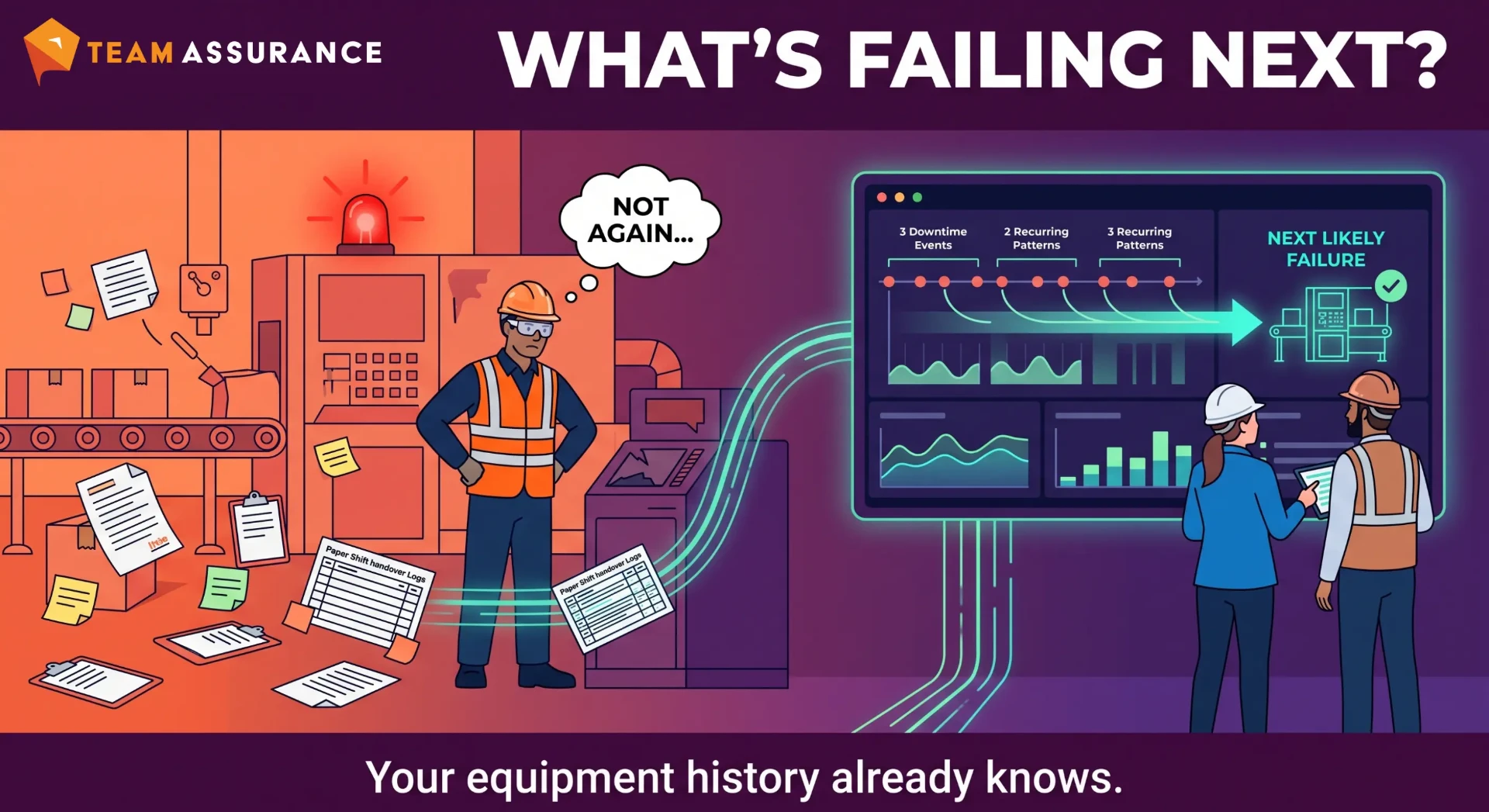
Equipment downtime analysis means reading the maintenance and operator records you already keep to find which stops keep coming back, why they happen and whether your fixes worked. Most plants already have the data in work orders, operator notes, alarm logs and shift handovers. This guide covers five practical steps, how AI groups free-text downtime notes into themes, and a checklist to make it part of daily management.
Introduction
How Great Plants Turn Downtime Data Into Fixes
Most plants have years of downtime data in a CMMS, shift logs, spreadsheets and handover boards. The best-run sites treat that history as a working tool. They read it regularly, spot the stops that keep coming back and fix them for good.
They also make the reading quick. Notes sit in one place, get grouped by theme and are reviewed in the meetings the team already runs, so the monthly downtime figure comes with a clear explanation of what drove it.
What Your Downtime Notes Actually Contain
The most useful part of downtime data is the free-text note. "Jammed again at infeed, cleared and reset." "Sensor dirty, wiped." "Waited 40 mins for fitter." These are first-hand records from the people who were standing at the machine.
Read together, they show which assets stop, how, when, and how operators get the line running again. Strong teams use that to predict next month's stops and get ahead of them.
What Is Equipment Downtime Analysis?
Downtime Tracking vs. Downtime Analysis
Downtime tracking records how many minutes were lost, on which line and against which category. Downtime analysis takes that record and works out which stops keep coming back, what is causing them and whether anything you've done has made a difference.
For example, tracking shows that Line 3 lost 14 hours last month. Analysis shows that nine of those hours came from one filler, mostly on night shift and mostly within an hour of a changeover, which gives you somewhere specific to start.
The Data You Already Have: Work Orders, Operator Notes, Alarms and Handovers
You can start without a new sensor project. Work orders show what maintenance found and fixed. Operator notes show what the line saw before maintenance turned up. Alarm logs give you timestamps and frequency, and shift handovers capture the things people thought were worth passing on.
Each source adds something. Work orders capture the bigger repairs, operator notes catch the five-minute stops, and alarms give exact timing. Side by side, they give a clear picture of how each asset behaves.
Why Free-Text Downtime Notes Are Hard to Use
Same Failure, Five Descriptions
Five operators will often describe the same fault five ways. "Labeller jam." "Labels bunching." "L2 stopped - label web." "Lab. issue, fixed." "Reel change probs again." Great teams recognise these as one issue and group them before counting.
Abbreviations, site slang and shorthand are part of how people write on the floor. The teams that get the most from their notes read them in that language and sort them by meaning.
Why Codes and Categories Miss the Real Story
Reason codes are great for counting and trending. Leading sites keep the code list short and current, and pair every code with a short note describing what happened.
The code gives the category and the note carries the detail needed to find a root cause. Used together, they give the full picture.
How to Analyse Equipment Downtime History Step by Step
Step 1: Gather Equipment Failure History in One Place
Pull work orders, operator notes, alarm exports and handover logs for the same period - six months is usually enough to see patterns without drowning. Make sure every record carries the asset, the date and time, and the original note as written. Keep the original wording, since the detail in it is where the clues are.
Step 2: Group Similar Symptoms Across Shifts and Assets
Sort the notes by what actually happened rather than by the code someone picked. "Bunching", "jam" and "web issue" on the labeller all go together. Look across shifts and across similar machines too, because the same fault often shows up on day shift as one description and on nights as another.
Step 3: Separate the Big Breakdowns From the Small Recurring Stops
A four-hour gearbox failure is easy to spot. A three-minute sensor wipe that happens twelve times a shift can cost more over a month, so strong teams track both. Rank your groups by total time lost and by frequency, and treat them as two different problems.
Step 4: Link Patterns to Root Causes and Countermeasures
For the top few groups, ask why the stop keeps happening. A dirty sensor might come back to a guard that lets product spray, or a cleaning step that got dropped from the changeover. Agree one countermeasure per cause, give it an owner and a date, and write down what you expect to change.
Step 5: Verify the Fix Changed the Pattern
This is the step that makes the gains stick. Four to six weeks after the countermeasure, run the same grouping again and check whether that cluster of notes has shrunk. If it hasn't moved yet, adjust the countermeasure and check again.
How AI Reads Six Months of Downtime Notes in a Minute
Clustering Free-Text Notes Into Themes
Steps 2 and 3 take the most time, since grouping a few thousand notes by hand can take a week. AI does this well. It reads the notes the way a person would, works out that "labels bunching" and "reel change probs" are describing the same thing, and groups them into themes regardless of spelling, shorthand or which shift wrote them.
That frees up the people who know the equipment to spend their time on causes and fixes.
Worked Example: From a Pile of Notes to Three Recurring Causes
Take a packing line with roughly 1,800 downtime notes over six months, coded mostly as "Mechanical", "Electrical" and "Other". Run through AI clustering, about 60% of the lost time falls into three themes. The first is label web tension problems after reel changes, mainly on night shift. The second is a product sensor at the case erector being wiped clean several times a shift. The third is waiting for a contractor to arrive on breakdown callouts.
All three are clear, practical targets. Two are cheap to fix, and the third comes down to contractor response time.
Where Human Judgement Still Matters
AI groups what the notes say. Someone who knows the line still needs to check whether the notes are accurate, whether the sensor fouls because of a guard or a cleaning schedule, and whether a fix is worth the money.
Making Downtime Analysis Part of Daily Management
Bringing Equipment Patterns Into Tier Meetings
The best results come from reviewing patterns in tier meetings, close to when they happen. Tier 1 looks at yesterday's stops and asks whether any belong to a known theme. Tier 2 tracks the top recurring causes and the countermeasures against them. Tier 3 checks whether those countermeasures are actually moving the numbers.
All of this fits into the meetings you already run, as long as the recurring themes are on the board where people can see them.
Sharing What One Site Learns With Others
If you run more than one site, there's a good chance the same filler, the same sensor and the same contractor problem exist at all of them. When one site finds that a guard change stops a sensor fouling, every other site can apply it the same week.
When downtime notes, themes and countermeasures sit in one place, a fix found at one site can be checked against the others' history in minutes. That's where most of the cheap wins are.
Downtime Analysis Checklist
• ☐ Six months of work orders, operator notes, alarms and handovers pulled into one place
• ☐ Every record has the asset, date and time, and the original note
• ☐ Notes grouped by symptom, not by reason code
• ☐ Big breakdowns and small recurring stops ranked separately
• ☐ Root cause and one countermeasure agreed for each of the top three themes
• ☐ Each countermeasure has an owner and a date
• ☐ Pattern re-checked four to six weeks after the fix
• ☐ Top themes visible in tier meetings
• ☐ Fixes shared with other sites running the same equipment
Recap: Your Equipment History Already Knows What's Failing Next
The downtime data you already have is usually enough. The notes your operators and technicians write every shift describe your recurring failures in plain language, and they've been doing it for years. Group them, find the few patterns that cost the most, fix them, and check the fix worked. Then do it again next month.
Frequently Asked Questions About Downtime Analysis
What is equipment downtime analysis?
It's the process of reviewing equipment failure history - work orders, operator notes, alarms and handovers - to find recurring causes of downtime and confirm whether countermeasures reduced them. The aim is to explain why the minutes were lost as well as how many.
What's the difference between downtime tracking and downtime analysis?
Downtime tracking records how much time was lost, where and against which reason code. Downtime analysis uses that record, plus the free-text notes, to identify patterns and root causes you can act on.
How do you reduce machine downtime using historical data?
Gather six months of history in one place, group stops by symptom rather than code, and rank them by total time lost and frequency. Fix the root cause of the top few, then re-check the pattern four to six weeks later.
Can AI analyse free-text downtime notes?
Yes. AI can read thousands of notes and group different descriptions of the same fault into themes in about a minute. People who know the equipment still need to check those themes and decide which fixes are worth making.
How much downtime history do you need to start?
About six months is usually enough to show recurring patterns across shifts and assets. That window also captures failures that only happen every few weeks.