
Incident Reporting Software for Frontline Teams
Incident reporting software lets anyone on site report an incident or near miss from a phone or tablet, on a structured form with a photo, and makes sure someone investigates and fixes it. In TeamAssurance the report reaches the team's tier board the same shift, triggers an investigation and corrective actions with owners and due dates, and escalates when the team cannot resolve it.
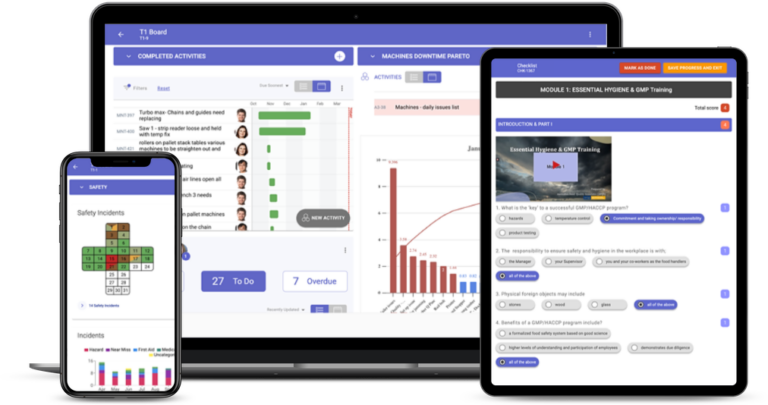
The basics
What is incident reporting software?
Incident reporting software is a tool, usually a mobile app with a web dashboard, that records workplace incidents and near misses, routes each one to the people who must act, and tracks the investigation and corrective actions until they are closed. A good report captures the type of event (injury, near miss, hazard, property damage or environmental), where and when it happened, what happened, a photo and the severity. Safety teams use the records to respond to events, meet reporting obligations and find patterns across areas and sites.
Most incident reporting software will capture a report. The difference is what happens next. Paper forms, emails and spreadsheets lose reports, hide the status of investigations and make trends hard to see. Workers who report an incident and hear nothing back stop reporting, and the near misses that warn of a serious injury go unrecorded. Software that fixes both ends makes reporting quicker than walking past, and shows the person who reported that something was done.
TeamAssurance is a daily management platform with safety management built in, not a standalone safety register. Incidents and near misses are reported on structured digital forms, appear where the team already meets, and are followed through to investigation, root cause and corrective action. Regulatory notification rules differ by country, state and industry, so confirm what your regulator requires and use the platform to keep the records behind it.
What it does
What to look for in incident reporting software
Reporting in a minute from the floor
A report should take about a minute on a phone or tablet, with a photo, so people actually use it at the moment something happens.
Structured incident forms
Type of incident, location and severity are set fields, not free text, so reports can be routed, trended and compared. In TeamAssurance, structured digital forms trigger the investigation and corrective actions automatically.
Investigation and corrective actions
Each incident leads to an investigation and corrective actions with an owner and a due date, tracked until they are closed rather than left in an inbox.
Escalation through your tiers
Unresolved issues rise to the next tier meeting with their context, so critical events reach leaders without anyone having to remember to forward an email.
Root cause and problem solving
Repeat incidents and serious events move into five whys, fishbone or A3, and the countermeasure updates the standard and the checklist.
Near misses and hazards in the same place
Near misses, hazards and safety observations sit alongside incidents, so early warnings are recorded and acted on before someone is hurt.
Trends and leading measures
Trends by area, activity and cause show where incidents cluster, and leading measures such as near misses reported and actions closed on time sit next to injury rates.
Audit-ready records across sites
Complete digital records of incidents, investigations and actions support internal governance and regulatory compliance at every site.
Compared
Paper forms, a standalone register or TeamAssurance?
| Capability | Paper forms and email | Standalone incident register | TeamAssurance |
|---|---|---|---|
| Report raised from a phone with a photo | |||
| Structured fields for type, location and severity | |||
| Investigation and corrective actions with owners and due dates | |||
| Incidents reviewed in the team's daily tier meeting | |||
| Escalation of unresolved issues through the tiers | |||
| Repeat incidents linked to A3 and PDCA problem solving | |||
| Near misses, hazards and audits in the same system |
How it works
How an incident is handled in TeamAssurance
- 01
Report it
Anyone on site raises the incident or near miss on a structured form from a phone or tablet, with a photo, location and severity.
- 02
Make it safe and assess it
The team leader sees the report the same shift and makes the area safe, and an investigation and first actions are triggered.
- 03
Act and escalate
Corrective actions get owners and due dates. Anything the team cannot resolve rises to the next tier meeting with its context.
- 04
Find the cause and learn
Serious or repeat events move into five whys, fishbone or A3. The fix is verified, the standard updated and the trend reviewed.
Use cases
Where teams use incident reporting software
- Reporting near misses at the line before they become injuries
- Recording injuries, property damage and spills on a structured form
- Reviewing safety first at every Tier 1 huddle, including open incident actions
- Investigating repeat incidents with five whys, fishbone or A3
- Comparing incident and near-miss trends across areas and sites
- Keeping complete records ready for audits and regulators
FAQ
Incident reporting software FAQ
What is incident reporting software?
It is software, usually a mobile app, for recording workplace incidents and near misses, routing them to the right people and tracking the investigation and corrective actions to closure. It replaces paper forms, emails and spreadsheets with a single record that everyone can see.
What features should incident reporting software have?
Quick reporting from a phone with a photo, structured forms, investigation and corrective actions with owners and due dates, escalation, trend reporting and audit-ready records. The route from each report to a closed action matters most, because a report nobody acts on does not make anyone safer.
What should an incident report include?
The type of incident, the date, time and location, who was involved, what happened, any injury or damage, the immediate action taken, a photo where it is safe to take one, and the severity. Structured fields keep reports consistent so they can be trended.
What is the difference between an incident and a near miss?
An incident caused harm or damage. A near miss is an event that could have caused harm but did not. Both should be reported, because near misses show the same causes as injuries without the cost.
Is TeamAssurance incident reporting software?
TeamAssurance is a daily management platform with safety management built in. Incidents and near misses are reported on structured digital forms, trigger investigations and corrective actions, and are reviewed in the team's tier meetings, with escalation when the team cannot resolve them.
Does it help with regulatory reporting?
It keeps complete digital records of incidents, investigations and actions to support compliance. Notification rules differ by country, state and industry, so check what your regulator requires and when.
Guided tour
See how incident reporting fits the connected operation
A five-minute walkthrough of strategy, improvement and daily management on one system: the tier boards, the actions, the escalations and the problem solving, with worked examples from the floor up.
Learn more
Definitions
Turn incident reports into actions your team closes
Book a demo and we will raise an incident from a phone, watch it land on a tier board, escalate it and close it with a verified corrective action.
Request a Demo